Press for quality time
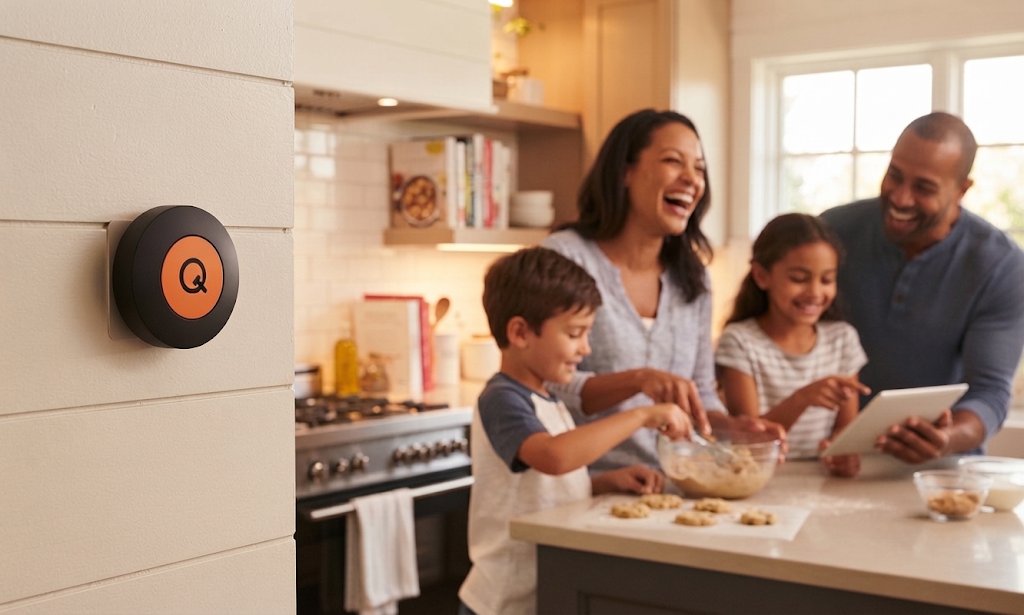
One press of the button pauses the distracting apps on every connected phone in the house, so the whole family can spend quality time together.
No social media.
No brain-rotting apps.
Just families + loved ones spending time together - the way they're supposed to.
How it works
Download app + pair button
Download the QT app. Register a parent device with the button. Setup a Household Code (to connect other devices) + Parent Pin. Choose which apps to pause on your own device.
Add family devices
Install the free QT app on each phone. Register Parent + Family devices. Choose which apps to pause + which apps you'll always have access to.
Press for quality time
One press. No more time-wasting apps. No more TikTok at the dinner table. Just families spending better time together. Parents choose from 15, 30, 60 + 90 min duration. Only essential apps kept running.
1 IN 2 CHILDREN AGED 8 TO 16 SAY SMARTPHONES
HAVE MADE THEM MISS IMPORTANT FAMILY MOMENTS
45% of parents struggle with their own phone usage. 77% of families have phones at the dinner table. Children as young as 8 years old claim that smartphones are making them miss important family moments.
We are a society hooked on our phones, from morning to night. From dad to daughter. And, we feel, it's time that changed.
At the press of a button, QT pauses all distracting, brain-rotting, self-confidence destroying apps - for every single device connected in the house.
This gives everyone a pause. A break. Time to step away from the apps that continuously demand our attention. And time that families + loved ones can use to connect with each other, knowing that they have each other's undivided attention.
of families have phones at the dinner table.
of parents find it hard to control their child's screen time.
of parents feel they struggle with their own smartphone usage let alone their children's.
of 11-year-olds in the UK already have their own smartphone.
children aged 8 to 16 say their parents' phones make them miss family moments.
how long the average 8-16 year old spends on screens in the UK. That's 176 hours per month.
Sources: Ofcom, Children and Parents: Media Use and Attitudes (2025) and children's media lives update (May 2026); The Week Junior survey of 2,000 families (2025); Virgin Media O2 study of 16,000 people (July 2026); Smartphone Free Childhood (January 2026).
FAMILY TIME IN UNDER
10 minutes
When your button arrives, follow the steps below to easily activate your button + app. Quality time awaits in under 10 minutes.
QT vs the alternatives
| QT | Personal blocker devices | Screen Time and Family Link | |
|---|---|---|---|
| Built for the whole household | Yes | Built for one person | Parents control kids only |
| Pauses multiple devices at once | Yes | One phone at a time | Set up phone by phone |
| iPhone and Android in one family | Yes | Varies | Separate Apple and Google systems |
| Sessions end on a timer | 15 to 90 minutes | Usually until you tap again | Daily limits and schedules |
| Easy to override | Only parents can end early | Unlocked in one tap | No |
| Price | £44 per home | £44 per person | Free but easy to override |
Questions
Does QT work with iPhone and Android?
Yes. QT works on both, and in households with a mix of the two. Every phone uses the same free app.
Do parents’ phones pause too?
Yes, that’s the point. When the button is pressed, every phone in the household pauses, the grown-ups’ included. A parent can still end a session early with the parent PIN.
What can my kids still use during QT?
Calls, messages and maps always work. You choose which apps pause, such as social media, video and games, and which stay available.
Can my kids switch QT off or delete it?
Not without you knowing. If a family phone ends a session early, switches off app pausing, tries to uninstall QT or goes quiet for more than 10 minutes, the parent’s phone gets a notification. On Android, QT can’t be uninstalled until its uninstall protection is turned off, and that sends an alert too. Changing a family phone’s QT settings needs the parent PIN.
What happens in an emergency?
Phone calls always work during QT. A parent can end the session on every phone at once with the parent PIN.
How far away does the button work?
The phones nearby hear the button over Bluetooth, so put it somewhere central, like the kitchen. Once one phone hears it, every phone in the household joins in over the internet, wherever they are in the house.
Does the button need charging or Wi-Fi?
No. There is nothing to plug in or charge, and the button itself doesn’t need Wi-Fi.
How many phones can I add?
As many as your household has. Each phone joins with your household code.
Is there a subscription?
No. You buy the button once and the app is free.
Does QT track where we are or read our messages?
No. iPhone and Android file Bluetooth buttons under location, so QT asks for location access, but it never records where you are. It doesn’t read your messages or see what you do in other apps.